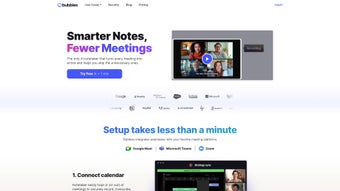

Download Bubbles Notetakerv2 95 – AI‑Powered Meeting Notes, Real‑Time Transcription & Task Management
Overview
Bubbles Notetaker v2.95 is a cloud‑based, subscription‑driven application that redefines how teams capture and reuse information from meetings, lectures, and brainstorming sessions. Built on a robust AI engine, the tool automatically transcribes spoken words, highlights action items, and formats the output into a clean, shareable note. The intuitive web interface requires no heavy client installation, meaning users can simply open a browser, join a meeting, and let the software handle the heavy lifting. By shifting the focus from manual note‑taking to active participation, Bubbles Notetaker improves meeting efficiency, reduces miscommunication, and creates a searchable knowledge base that grows with every session. Whether you’re a project manager coordinating cross‑functional teams, a professor documenting lecture content, or a startup founder sketching ideas, the platform’s blend of real‑time transcription, task tagging, and seamless integration with collaboration suites like Slack, Microsoft Teams, and Google Workspace makes it a versatile productivity partner. Security‑first design ensures that all data is encrypted in transit and at rest, while regular automatic updates keep the AI models sharp and the interface fresh. In short, Bubbles Notetaker v2.95 transforms chaotic spoken information into structured, actionable insight—helping organizations save time, stay aligned, and make better decisions.
Key Features & Installation Guide
Feature Highlights
- Real‑time speech‑to‑text transcription with speaker identification.
- AI‑driven summarization that extracts key points and decisions.
- Task creation directly from notes; assign owners and due dates.
- One‑click sharing to Slack, Teams, Google Drive, and Dropbox.
- Customizable templates for meeting agendas, minutes, and project logs.
- Searchable archive with tags, filters, and AI‑powered semantic search.
- Secure cloud storage with end‑to‑end encryption and GDPR compliance.
- Automatic language detection and multi‑language support (English, Spanish, French, German).
- Continuous AI model updates to improve accuracy and add new vocabularies.
- Offline mode for draft notes that sync when connectivity returns.
Step‑by‑Step Installation & First‑Run Usage
Getting started with Bubbles Notetaker v2.95 is straightforward, even for users with limited technical background. First, visit the official website and click the “Start Free Trial” button. After entering your corporate email, you’ll receive a verification link—click it to confirm your account. Once verified, you’ll be directed to the dashboard where you can choose a subscription plan that fits your team size. The platform runs entirely in modern browsers (Chrome, Edge, Firefox, Safari), so there’s no need to download heavy installers; a simple “Add to Chrome” or “Add to Edge” extension can be installed for quick access during web‑based meetings.
To launch a note‑taking session, open the extension, select “Start New Meeting,” and paste the meeting link (Zoom, Teams, Google Meet, etc.). The AI begins listening instantly, converting speech to text and flagging potential action items in real time. You can highlight sections, add comments, or assign tasks by clicking the “Create Task” button next to any line. When the meeting ends, the final transcript is automatically saved to your cloud archive, and a summary email is dispatched to all participants with a link to the editable note. For teams that prefer a mobile workflow, native iOS and Android apps are available in their respective stores—simply log in with the same credentials and you’ll have the full feature set on the go.
Compatibility, Pros & Cons
Supported Operating Systems
Bubbles Notetaker v2.95 is a web‑first solution, meaning it runs on any device with a modern browser. Officially supported platforms include:
- Windows 10/11 (Chrome, Edge, Firefox, Safari)
- macOS 12+ (Safari, Chrome, Firefox)
- Linux distributions with up‑to‑date Chromium‑based browsers
- iOS 14+ (dedicated app for iPhone & iPad)
- Android 9+ (Google Play app)
Pros
- Accurate, AI‑powered transcription saves time and reduces errors.
- Seamless integration with major collaboration tools accelerates sharing.
- Task management built directly into notes keeps accountability visible.
- Strong security and compliance make it suitable for regulated industries.
- Browser‑based access eliminates the need for bulky installations.
Cons
- Subscription cost may be a barrier for small freelancers or startups.
- Reliance on internet connectivity for real‑time features; offline mode is limited to drafting.
- Initial AI learning curve; users may need to train the system for industry‑specific jargon.
- Limited customization of UI themes compared to some competitor note‑taking apps.
Overall Verdict: Bubbles Notetaker v2.95 delivers a powerful AI‑driven experience that modern teams need to stay productive. Its strengths in transcription accuracy and task integration outweigh the modest price tag, making it a worthy investment for organizations focused on meeting efficiency.
FAQ & Conclusion – Take Your Meetings to the Next Level
Is Bubbles Notetaker suitable for non‑English meetings?
Yes. The platform supports multiple languages, automatically detecting the spoken language and providing accurate transcription for English, Spanish, French, German, and several others. Users can also switch language settings manually if needed.
How secure is the data stored in the cloud?
All notes are encrypted both in transit (TLS 1.3) and at rest (AES‑256). Bubbles Notetaker complies with GDPR, CCPA, and ISO 27001 standards, offering role‑based access controls and audit logs for enterprise environments.
Can I export notes to other formats?
Absolutely. Users can export transcripts as plain text, PDF, Microsoft Word, or Markdown files. Export options appear in the note’s action menu, making it easy to share with stakeholders who prefer different document formats.
Is there a free tier or trial available?
Bubbles Notetaker offers a 14‑day free trial with full feature access. After the trial, users can choose between a monthly or annual subscription plan; there is no permanent free tier.
How does the AI handle background noise?
The AI model includes advanced noise‑cancellation algorithms that filter out ambient sounds, HVAC noise, and distant chatter. While perfect accuracy can’t be guaranteed in extremely noisy environments, most users report high-quality transcriptions in typical office settings.
Final Thoughts & Call to Action
In today’s fast‑paced work environment, the ability to capture, organize, and act on spoken information is a competitive advantage. Bubbles Notetaker v2.95 delivers that capability through a secure, AI‑enhanced platform that works across Windows, macOS, Linux, iOS, and Android. Its real‑time transcription, built‑in task manager, and deep integrations eliminate the friction of manual note‑taking, allowing teams to stay focused on strategic discussions instead of scribbling notes. While the subscription cost may require budgeting consideration, the time saved and the reduction in miscommunication often translate into measurable ROI within weeks.
Ready to transform your meetings? Download Bubbles Notetaker v2.95 now, start your free trial, and experience a smarter way to collaborate. Elevate productivity, boost accountability, and keep every idea within reach—one bubble at a time.



.png)



